What you need
- A Parsinet VPN portal account (sign up for free at portal.parsinetvpn.com)
- USDT or USDC in a wallet or exchange account that can send on one of the networks below
- A little extra to cover the network fee your wallet or exchange charges
Supported coins and networks
| Coin | Networks |
|---|---|
| USDT | TRC20 (TRON), BEP20 (BNB Smart Chain), Polygon |
| USDC | BEP20 (BNB Smart Chain), Polygon |
The payment page only lists the options that are open at the moment.
Step by step
-
Log in to the portal
Go to portal.parsinetvpn.com and log in, or create an account.
-
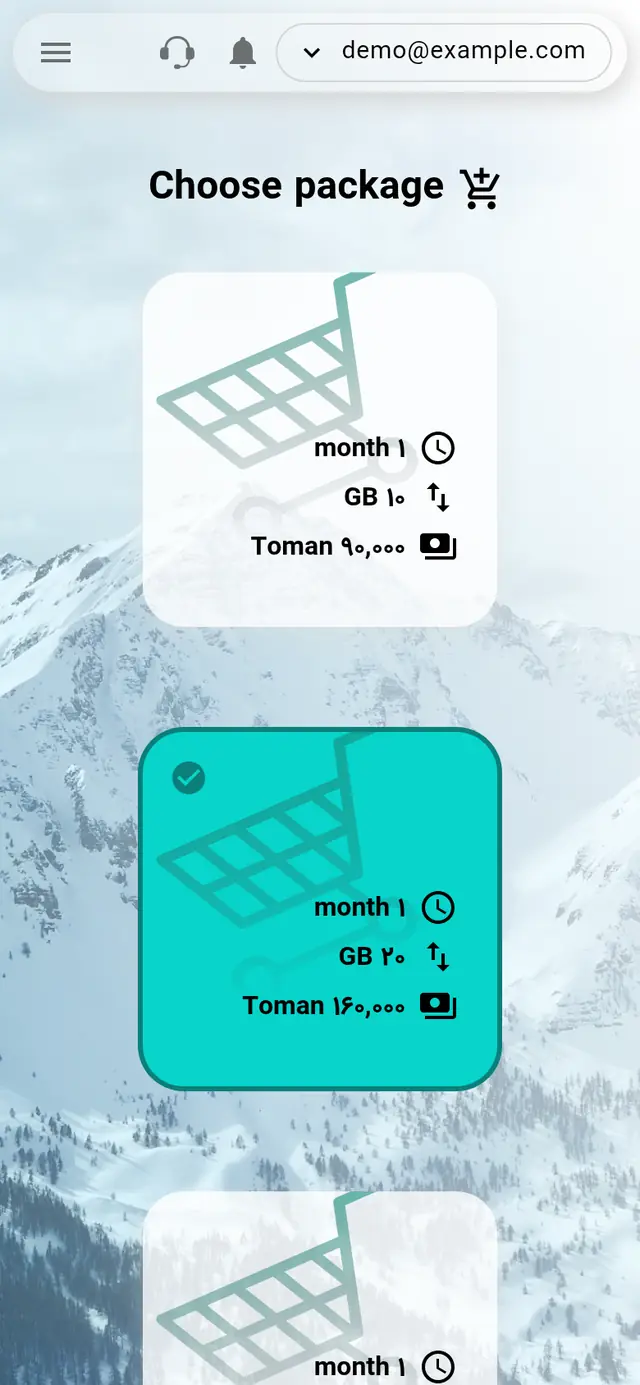
Choose a package
Open Purchase package from the menu, choose your package and press Next step.
-
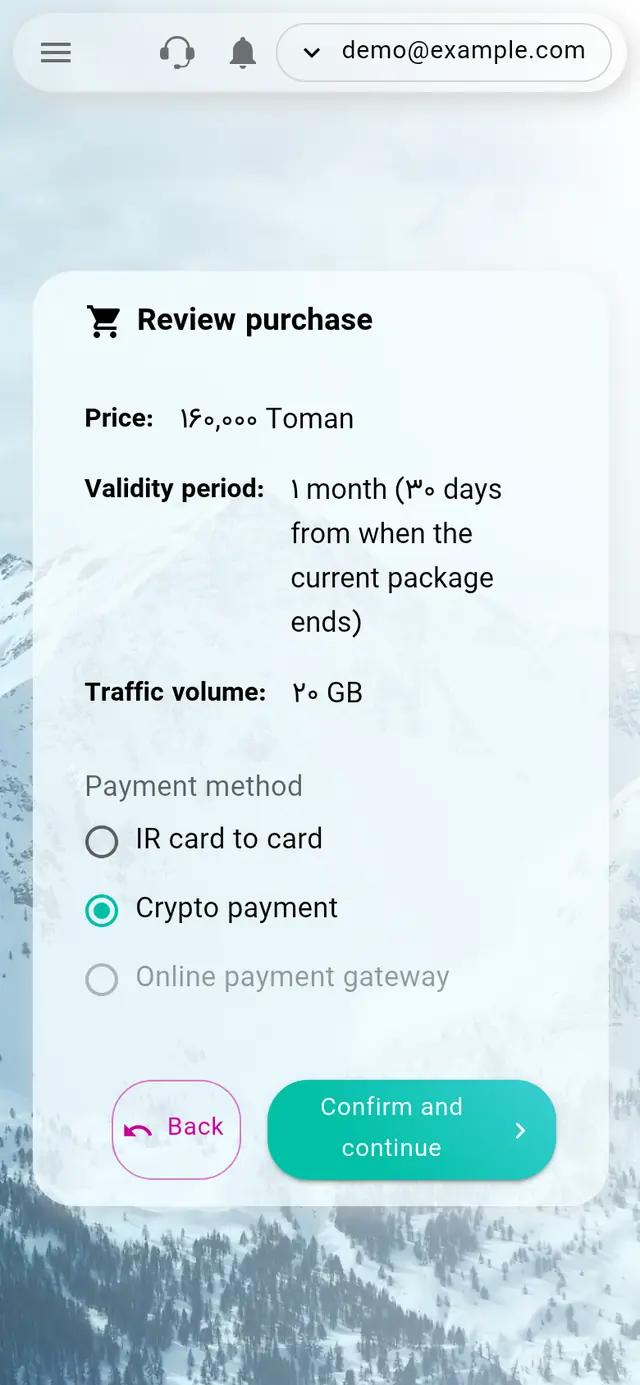
Choose crypto as the payment method
On the Review purchase page, select Crypto payment under Payment method and press Confirm and continue.
-
Pick the coin and network
Under Token and network, choose the coin and network you'll pay with, for example USDT on TRC20. The page then shows the exact amount, the wallet address, a QR code and a 30-minute timer.
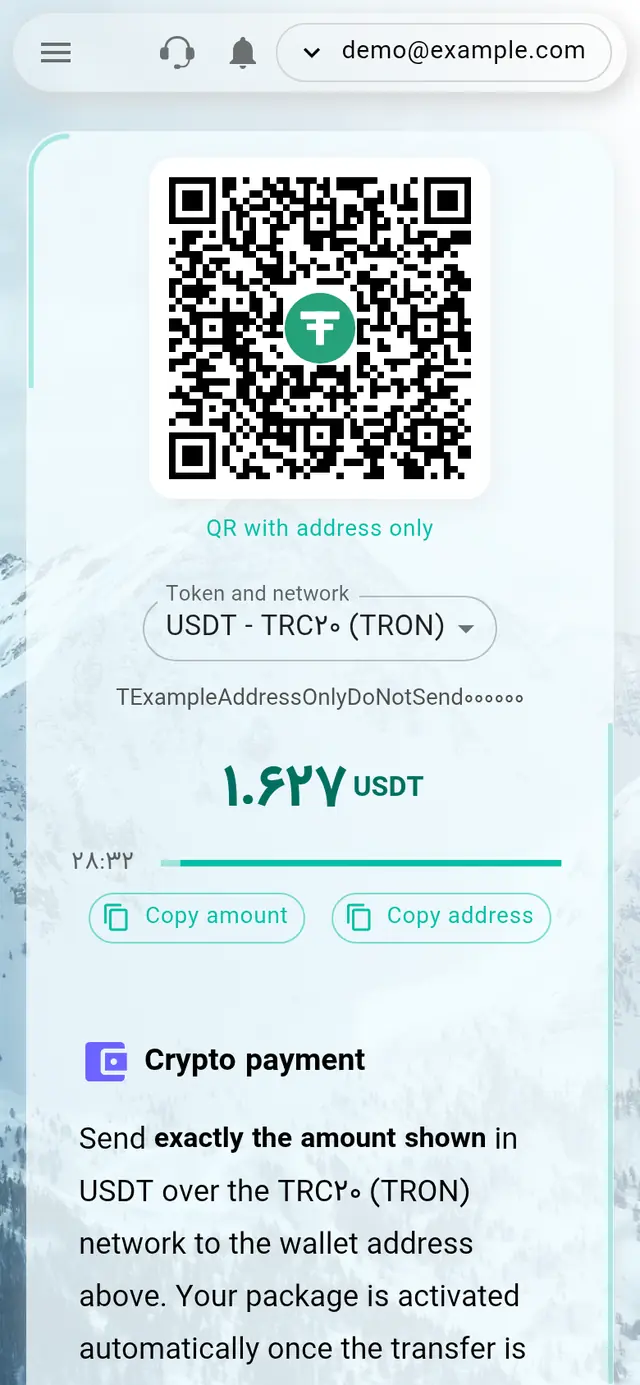
Example only. Always copy the address and amount from your own payment page. -
Send the payment
Copy the amount and address with Copy amount and Copy address, or scan the QR code. The QR code already includes the amount; if your wallet can't read it, switch to QR with address only and type the amount yourself. Send exactly that amount, in a single transfer, on the same network.
-
Wait for confirmation
The page checks for your payment automatically. Once the network confirms the transfer, usually within a few minutes, you'll see a success message and be taken to Purchase history, where your transaction ID is saved. If you close the page, the package is still activated automatically.
Three rules before you send
The amount, down to the last decimal, is what identifies your payment. That's why it isn't a round number. A different amount can't be matched automatically.
Only send on the network you chose on the payment page. Transfers on any other network are lost.
Some exchanges subtract their withdrawal fee from the amount you enter. Make sure the amount that arrives is exactly the amount shown.
Good to know
- Send well before the timer ends. If it runs out before you've sent anything, the payment details are refreshed; copy the new amount and address.
- If you already have an active package, the new one is saved as a reserved package and starts automatically when the current one ends.
- The crypto amount is calculated from the package price at the current dollar rate, so it can change slightly from day to day.
Something went wrong?
Sent a different amount, or the timer ran out after you sent?
Message support on Telegram (@parsa_its) with your transaction ID (TXID). Your transfer is recorded and can be matched by hand.
Sent on the wrong network?
Message support right away, but funds sent on another network may not be recoverable.
Don't see your package after paying?
Check Purchase history first, then message support with your transaction ID.